AWS Summit NYC: What to Expect and Why It’s Worth Going
AWS Summit NYC has become one of the bigger cloud events on the East Coast, and for good reason — it packs a lot of useful content into a free, single-day conference. I’ve attended a few of these, and the value depends entirely on how you approach it. Show up without a plan and you’ll wander the expo floor collecting swag. Show up with specific questions and a session schedule and you’ll leave with actionable ideas. Here’s what the event actually offers and how to get the most out of it.
Keynote Sessions
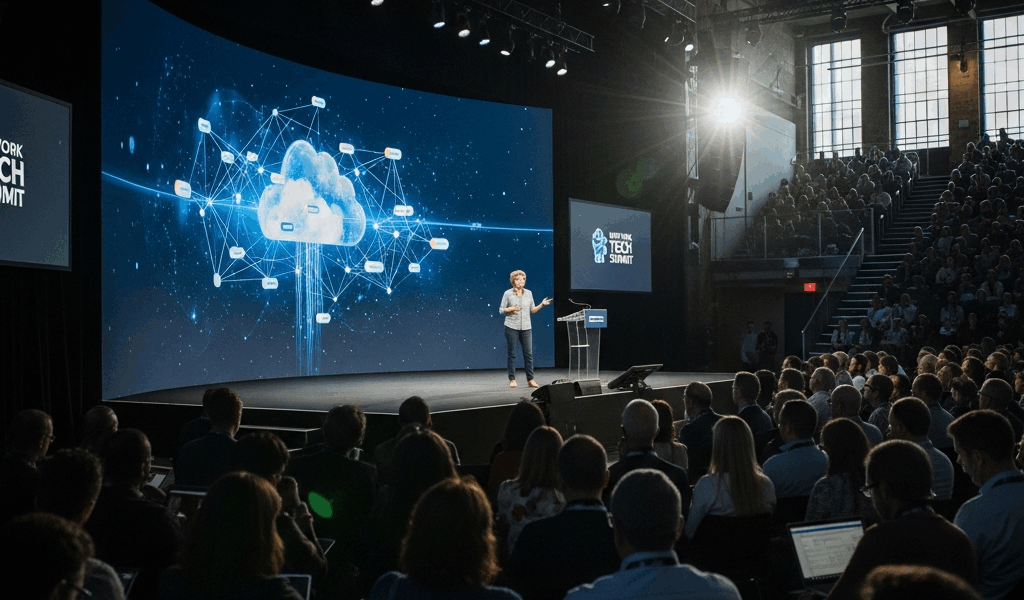
The keynotes open the day and set the tone. AWS executives and occasionally customer speakers walk through new service launches, strategic direction, and case studies. These are designed to generate excitement, so take the product announcements with appropriate context — not everything announced on stage is production-ready. That said, the keynotes do give you a genuine preview of where AWS is investing, which is useful for anyone planning infrastructure decisions. The customer stories tend to be more immediately practical than the product demos.
Breakout Sessions
This is where the real learning happens. Breakout sessions are organized by topic and skill level — from introductory overviews to deep technical dives. The topics span everything AWS touches: machine learning, security architecture, big data pipelines, cost optimization, and more. The best sessions are the ones where practitioners share actual implementation details rather than theoretical best practices. Check the session catalog early and flag the ones relevant to problems you’re actually solving. Popular sessions fill up, so arrive early.
Workshops and Hands-On Labs
Workshops give you time at a keyboard with guided exercises on AWS services. These are instructor-led and walk you through building something functional — a serverless application, a machine learning pipeline, or a secure architecture pattern. For people who learn by doing rather than listening, these are the highest-value sessions at the summit.
Popular Workshop Topics

- Building Serverless Applications
- Deploying Machine Learning Models
- Creating Secure Cloud Architectures
Interactive Demos and Exhibits
The exhibit hall is a mix of AWS service teams and partner companies showing off their tools. Some exhibits are genuinely useful — you can get face time with the engineers who build the services you use and ask specific questions that documentation doesn’t answer. Partner booths vary in quality, but some offer solutions for real pain points like monitoring, cost management, and migration tooling. Skip the ones that are obviously just collecting badge scans for sales leads.
Featured Exhibit Themes
- Cloud Migration Tools
- Data and Analytics Solutions
- Enterprise Security
Networking Opportunities
The networking aspect is underrated. Thousands of people working on similar cloud problems in one building means the hallway conversations can be as valuable as the sessions. AWS organizes structured networking events, but the informal connections — grabbing coffee next to someone who solved the exact problem you’re facing — are often better. If you’re building a team or looking for your next role, the networking events at Summit are worth your time.
Networking Formats
- Topic-Focused Meetups
- Networking Receptions
- One-on-One Meetings
Certification Exam Readiness
AWS runs certification prep sessions and sometimes offers discounted or free exam vouchers at Summit. If you’re already studying for a cert, the prep sessions help you gauge readiness and understand the exam format. The study guides and practice exams available at the certification booth are worth picking up even if you’re not testing that day. And if you are ready, taking the exam on-site saves you a trip to a testing center.
Available Certification Topics
- Solutions Architect
- Developer
- SysOps Administrator
Customer Success Stories
The customer presentations tend to be more grounded than the keynotes. Companies from healthcare, finance, retail, and other verticals share how they actually built on AWS — including the mistakes they made along the way. The best of these sessions include architecture diagrams and honest assessments of trade-offs. Look for sessions from companies in your industry; their challenges probably mirror yours.
Highlighted Industries
- Healthcare and Life Sciences
- Financial Services
- Retail and E-commerce
Emerging Technologies
AWS typically dedicates a track to emerging tech — quantum computing, advanced AI models, blockchain implementations, and whatever else is generating industry attention. These sessions are more forward-looking than immediately practical, but they’re worth attending if you’re responsible for technical strategy. Understanding what’s coming down the pipeline helps with planning even if you’re not adopting these technologies today.
Areas of Emerging Technologies
- Quantum Computing
- Advanced Artificial Intelligence
- Blockchain Development
Developer Tools and Productivity
Developer-focused sessions cover the toolchain: Cloud9 for development environments, CodePipeline and CodeDeploy for CI/CD, and the various SDKs and CLIs that make working with AWS services programmatic. If your team is still manually deploying or hasn’t automated their build pipeline, these sessions can show you what modern AWS development workflows actually look like in practice.
Key Developer Tools
- AWS Cloud9
- AWS CodePipeline
- AWS SDKs and Toolkits
Compliance and Security
Security sessions are consistently among the most popular at Summit, and they should be. IAM configuration alone trips up most organizations. Sessions cover identity management, encryption strategies, compliance frameworks, and the security services that actually help versus the ones that just generate alerts you’ll never read. If you’re responsible for your organization’s security posture on AWS, these are mandatory viewing.
Key Security Topics
- AWS Identity and Access Management (IAM)
- Data Encryption
- Compliance Frameworks
AI and Machine Learning
ML sessions cover the full spectrum from SageMaker model training to pre-built AI services like Comprehend and Rekognition. The practical sessions — where someone walks through training, deploying, and monitoring a model on real data — are more useful than the overview talks. If you’re evaluating whether to build ML capabilities in-house on AWS, these sessions help you understand the actual effort involved versus the marketing pitch.
AI and Machine Learning Services
- Amazon SageMaker
- AWS DeepLens
- Amazon Comprehend
Cost Optimization Strategies
Probably should have led with this section, honestly. Cost management is the single biggest concern for most AWS customers, and the optimization sessions are among the most immediately actionable at Summit. Learning to use Cost Explorer, setting up Budgets alerts, and understanding Trusted Advisor recommendations can save your organization serious money. The speakers who share specific numbers — “we reduced our bill by 40% by doing X” — are the ones worth prioritizing.
Cost Optimization Tools
- AWS Cost Explorer
- AWS Budgets
- AWS Trusted Advisor
DevOps and Automation
DevOps content at Summit focuses on infrastructure as code, automated deployments, and continuous delivery pipelines. CloudFormation, CDK, and CodePipeline sessions show how teams are automating everything from resource provisioning to production deployments. The organizations getting the most from AWS are the ones that have automated their operational workflows — these sessions show you how to get there.
DevOps Tools and Practices
- Infrastructure as Code with AWS CloudFormation
- Automated Deployments with AWS CodeDeploy
- Continuous Integration with AWS CodePipeline
Hybrid Cloud Solutions
Most enterprises don’t go all-in on public cloud overnight, which makes the hybrid sessions relevant for a large portion of attendees. Sessions cover Outposts for on-premises AWS hardware, Direct Connect for dedicated network links, and Storage Gateway for bridging on-prem storage with S3. If you’re managing a transition to cloud or maintaining a permanent hybrid architecture, this track addresses the real challenges.
Hybrid Cloud Services
- AWS Outposts
- AWS Direct Connect
- AWS Storage Gateway
Internet of Things (IoT)
IoT sessions demonstrate how to connect devices, process telemetry, and build applications around sensor data using AWS IoT Core, Greengrass, and IoT Analytics. The manufacturing and logistics use cases tend to be the most compelling — real organizations processing millions of sensor readings to optimize operations. If you’re working with connected devices or considering an IoT initiative, these sessions show what the AWS platform actually handles versus what you need to build yourself.
Key IoT Services
- AWS IoT Core
- AWS Greengrass
- AWS IoT Analytics
Getting the Most Out of AWS Summit NYC
Review the session catalog before you arrive and build a schedule with backups for each time slot. Register for workshops early — they cap attendance and fill fast. Bring business cards or have your LinkedIn ready for networking. Wear comfortable shoes because you’ll be walking all day. And honestly, the sessions that sound least exciting based on their titles are sometimes the most useful — “Cost Optimization Best Practices” doesn’t sound thrilling, but saving your company $50,000 a year tends to get people’s attention.



Stay in the loop
Get the latest web sme updates delivered to your inbox.