Cloud Server Hosting
Understanding Cloud Server Hosting
Cloud server hosting has become one of those terms that gets thrown around so loosely it barely means anything anymore. Every web host claims to be “cloud-powered,” and the marketing makes it sound like magic. But strip away the buzzwords and cloud hosting is a genuinely useful architecture that solves real problems traditional hosting can’t. Let me walk through what it actually is, how it works, and when it makes sense.
What is Cloud Server Hosting?
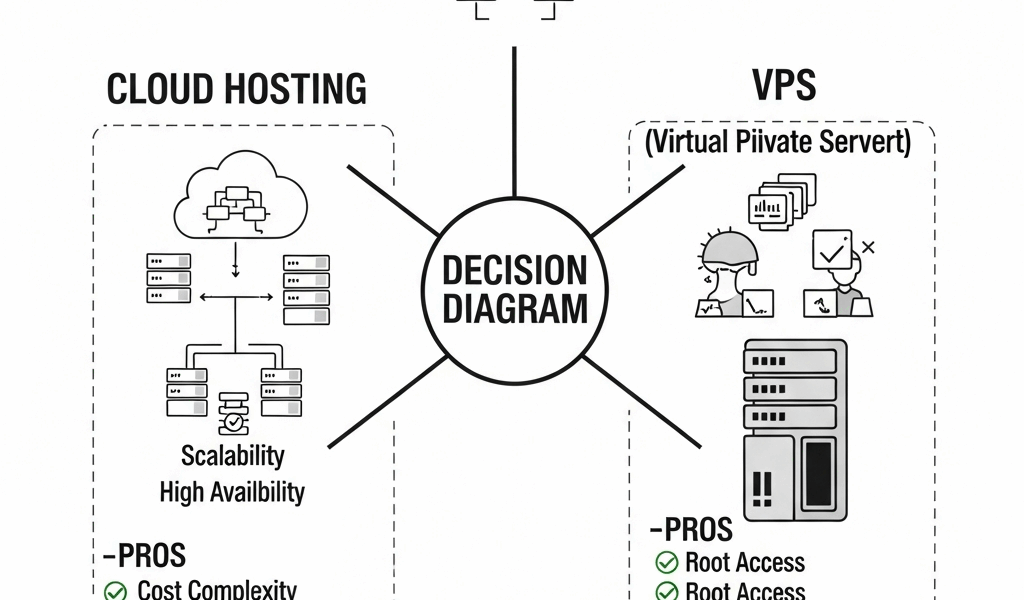
Cloud server hosting distributes your website across multiple physical servers working together as a pool. Instead of your site living on one machine (and dying when that machine has problems), it lives across a cluster of interconnected servers that share storage, memory, and processing power. That distribution is what makes cloud hosting fundamentally different from traditional hosting — and it’s what enables the scalability and reliability benefits people actually care about.
How Cloud Server Hosting Works
Traditional hosting puts your site on a single server. When that server goes down — and eventually it will — your site goes down with it. Cloud hosting eliminates that single point of failure by spreading your workload across a network of servers. If one server fails, another picks up the load automatically. Your site stays online because it doesn’t depend on any individual machine. The underlying technology is virtualization — software that abstracts physical hardware into flexible, shareable resources — but from a practical standpoint, what matters is that your site becomes more resilient and more flexible than it could be on a single server.
Benefits of Cloud Server Hosting
- Scalability that actually works: Traffic spike from a product launch or a viral post? Scale up resources in real time without migrating servers or calling your host. When the spike passes, scale back down. You’re paying for capacity you’re actually using rather than guessing what you’ll need months in advance.
- Real reliability: Multiple servers with no single point of failure means higher uptime. When one component fails, the workload shifts. This redundancy is what makes 99.99% uptime SLAs possible rather than aspirational.
- Pay-as-you-go pricing: Traditional hosting charges you for a fixed allocation whether you use it or not. Cloud hosting meters your actual usage — compute hours, storage consumed, bandwidth transferred. For workloads that vary, this typically costs less overall.
- Better performance: Load balancing distributes requests across multiple servers, preventing any single machine from bottlenecking. Geographic distribution through CDN integration means faster load times for users regardless of where they are.
- Security infrastructure: Major cloud providers invest billions in security — encryption, firewalls, DDoS protection, compliance certifications. That’s infrastructure most organizations couldn’t afford to build or maintain independently.
Types of Cloud Server Hosting
Not all cloud hosting looks the same. The architecture comes in three flavors, and each serves different needs.
Public Cloud

Resources are shared across many customers on the provider’s infrastructure. AWS, Microsoft Azure, and Google Cloud are the big names. Public cloud is the most cost-effective option for most use cases — you’re splitting infrastructure costs with thousands of other tenants. Setup is straightforward and scaling is near-instant. The trade-off is less control over the underlying hardware and shared resources that can occasionally affect performance.
Private Cloud
Infrastructure dedicated entirely to your organization. More expensive, more complex, but you control everything — security policies, hardware specs, network configuration. This makes sense for organizations with strict compliance requirements, sensitive data that can’t share infrastructure with other tenants, or performance demands that require guaranteed resources.
Hybrid Cloud
A combination of public and private cloud resources with orchestration between them. You keep sensitive workloads on private infrastructure while bursting to public cloud for less critical tasks or traffic spikes. It’s the most flexible approach but also the most complex to manage. Most enterprise organizations end up here eventually.
Setting Up Cloud Server Hosting
Getting started is more accessible than it was five years ago, but it’s not quite as simple as the providers’ marketing suggests. Here’s the actual process.
Choosing a Provider
The big three — AWS, Google Cloud, and Azure — cover most use cases. DigitalOcean and Linode offer simpler, more affordable options for smaller projects. Evaluate based on what you actually need: pricing model, available services, support quality, and data center locations. Don’t pick based on brand recognition alone — the pricing structures are different enough that the cheapest option varies by workload.
Selecting a Plan
- Estimate your actual resource needs: expected traffic, storage requirements, compute intensity. Overestimating wastes money; underestimating causes performance problems.
- Start conservatively and scale up. Cloud’s entire value proposition is that you can adjust resources on demand, so you don’t need to guess perfectly upfront.
Configuring the Server
Every major provider offers a dashboard or CLI for server configuration. You’ll choose an operating system, configure network settings, set up storage, and install your application stack. The learning curve is real but manageable — most providers have extensive documentation, and managed services abstract away the complexity if you’d rather not deal with server administration directly.
Common Use Cases for Cloud Server Hosting
Cloud hosting fits certain workloads better than others. Here’s where it genuinely shines.
E-commerce Websites
Online stores need to handle traffic spikes during sales events without crashing. Cloud hosting scales up automatically when Black Friday traffic hits and scales back down afterward. The alternative — paying for peak capacity year-round — is expensive and wasteful.
Content Delivery Networks (CDNs)
CDNs distribute your content across global edge servers so users load content from the nearest location. Cloud hosting integrates naturally with CDN services, providing faster page loads regardless of where your visitors are. The latency difference between serving content from across the globe versus a local edge node is significant.
Web Applications
Modern web applications need to scale with their user base and deploy updates rapidly. Cloud hosting provides both — elastic scaling handles growth, and CI/CD integration enables rapid deployment workflows. Developers can focus on code instead of infrastructure management.
Big Data Processing
Processing large datasets requires massive compute resources for short periods. Cloud hosting lets you spin up a cluster of high-performance instances, process your data, and shut them down — paying only for the hours you used. Running equivalent hardware on-premises would cost a fortune and sit idle most of the time.
Security in Cloud Server Hosting
Cloud security is a shared responsibility — the provider secures the infrastructure, and you secure your applications and data. Understanding that division is critical.
Physical Security
Major cloud providers operate data centers with biometric access controls, 24/7 surveillance, redundant power and cooling, and geographic diversity. This level of physical security exceeds what most organizations could build independently.
Data Encryption
Data should be encrypted both in transit (HTTPS/TLS between users and servers) and at rest (encrypted storage volumes). Most cloud providers offer encryption by default or as a straightforward configuration option. There’s no good reason not to use it.
Regular Updates
Cloud providers patch and update the underlying infrastructure continuously. This handles vulnerabilities at the hypervisor and hardware level. Your responsibility is keeping your operating system, applications, and dependencies updated — which is where most actual breaches happen.
Firewalls and Intrusion Detection
Cloud-native security tools monitor traffic, detect anomalies, and alert on potential threats in real time. These services integrate with your infrastructure and provide visibility that would require dedicated security teams to replicate on-premises.
Challenges of Cloud Server Hosting
Cloud hosting isn’t a silver bullet. These are the real challenges you’ll face.
Cost Management
Pay-as-you-go pricing means your bill can surprise you. A misconfigured service, a runaway process, or forgotten test instances can generate unexpected charges fast. Set up billing alerts, review costs regularly, and right-size your resources. Cost optimization is an ongoing discipline, not a one-time configuration.
Data Privacy
Your data lives on someone else’s hardware. For most workloads, the cloud provider’s security exceeds what you could build yourself. But for regulated industries or data subject to specific jurisdictional requirements, you need to verify that your provider complies with applicable regulations and stores data where the law says it should be.
Downtime and Outages
Cloud hosting is more reliable than traditional hosting, but it’s not immune to outages. Major providers have had significant multi-hour outages that took down thousands of websites. Architecting for resilience — multi-region deployment, failover configurations — mitigates this risk but adds complexity and cost.
Vendor Lock-In
Each cloud provider’s ecosystem uses proprietary services and APIs. The more deeply you integrate, the harder it becomes to move to a competitor. This isn’t necessarily a problem — lock-in is the price of using powerful managed services — but it’s worth understanding before you commit. Using standard technologies where possible (containers, Kubernetes, standard SQL) preserves some portability.
Future of Cloud Server Hosting
The cloud hosting landscape keeps evolving, and several trends are shaping where it goes next.
Serverless Computing
Serverless platforms run your code without you managing any infrastructure at all. You write functions, the platform executes them when triggered, and you pay only for the compute time consumed. For event-driven workloads, serverless can reduce costs and operational overhead dramatically.
Edge Computing
Processing data closer to where it’s generated — at the network edge rather than in a central data center. This reduces latency for real-time applications, IoT devices, and location-sensitive services. Cloud providers are building out edge networks to complement their centralized infrastructure.
AI Integration
Cloud providers are embedding AI capabilities for smarter resource management, automated security response, and cost optimization. These tools analyze usage patterns and adjust configurations automatically, reducing the operational burden of managing cloud infrastructure.
Continued Migration
More organizations will move to cloud hosting as the tooling matures and the talent pool grows. On-premises hosting won’t disappear entirely, but it’s increasingly the exception rather than the rule. The economic and operational advantages of cloud hosting are hard to argue with for most workloads.
Making the Decision
Cloud hosting makes sense for most modern web workloads. The scalability, reliability, and pay-as-you-go economics solve real problems that traditional hosting can’t address as effectively. But it’s not automatically the right choice for every situation. Evaluate your specific requirements — compliance needs, traffic patterns, technical expertise, budget constraints — and choose accordingly. The best hosting infrastructure is the one that serves your actual needs without costing more than it should.




Stay in the loop
Get the latest web sme updates delivered to your inbox.