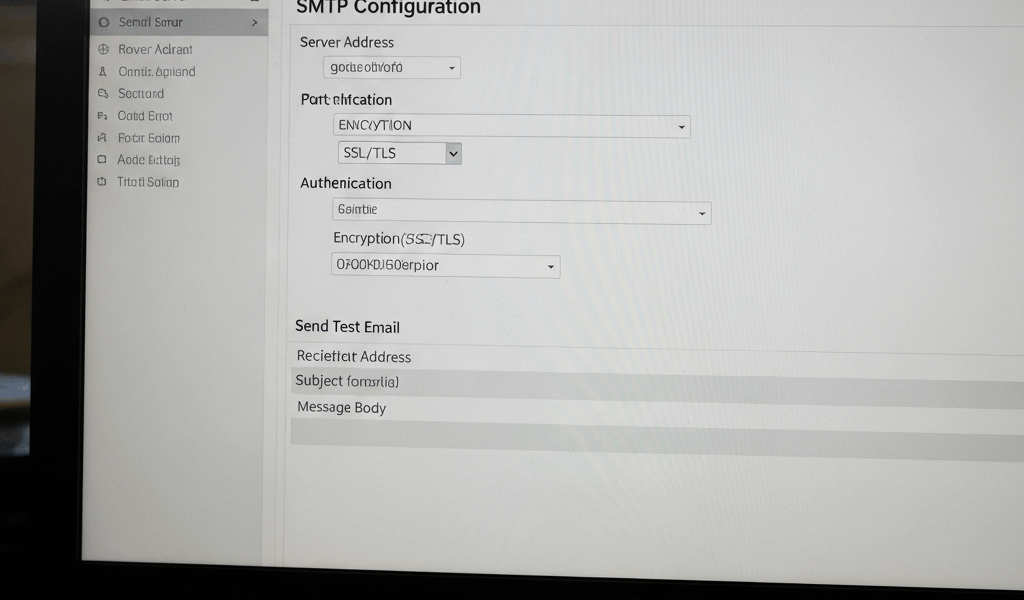
Understanding SMTP Servers: How They Work and Why They Matter
SMTP has gotten complicated with all the authentication layers and security requirements piled on top of what started as a dead-simple protocol. Every email you send goes through an SMTP server before reaching its destination — that much hasn’t changed since the 1980s. But the infrastructure surrounding it has gotten considerably more sophisticated. As someone who’s configured more mail servers than I’d like to admit, I’ll walk you through how SMTP actually works and what matters when things break.
How SMTP Servers Work
The basic flow hasn’t changed since the protocol was invented: you hit send, your email client contacts an SMTP server, the server figures out where the recipient’s mail server lives (via DNS MX records), forwards your message there, and the recipient’s server drops it into their inbox. The elegance of SMTP is that this process works the same whether you’re sending across the room or across the planet.
Components of SMTP Servers
Three components work together to move your email from point A to point B:
- User Agent (UA): This is what you interact with — Gmail’s web interface, Outlook on your desktop, the Mail app on your phone. The UA composes the message and hands it off to the next component.
- Mail Transfer Agent (MTA): The heavy lifter. The MTA takes your message and routes it across the internet to the recipient’s mail server. It handles DNS lookups, retries on failure, and queuing when the destination server is temporarily unavailable. Postfix, Exim, and Sendmail are all MTAs.
- Mail Delivery Agent (MDA): The last mile. Once the message arrives at the recipient’s server, the MDA places it in the correct mailbox. It’s the component that actually writes the email to disk where the recipient’s UA can find it.
SMTP Commands
Under the hood, SMTP is a conversation between two servers using plain-text commands. Understanding these is invaluable for debugging:
- HELO (or EHLO): The handshake. Your server introduces itself to the remote server. EHLO is the extended version that advertises supported features.
- MAIL FROM: Declares who’s sending the message. This is the envelope sender, which can differ from the “From:” header in the message itself — a source of both legitimate functionality and spam abuse.
- RCPT TO: Specifies where the message should go. You can issue multiple RCPT TO commands for multiple recipients.
- DATA: Signals that the actual email content follows. Everything after this command until a lone period on a line is treated as message content.
- QUIT: Terminates the session. Clean disconnection is polite and prevents hanging connections that waste server resources.
Security Features in SMTP
Probably should have led with this section, honestly. Original SMTP had zero security — everything traveled in plain text, and anyone could claim to be anyone. Modern email security is a collection of patches bolted onto this trusting foundation:
- Authentication: SASL (Simple Authentication and Security Layer) ensures that only authorized users can send through your server. Without it, your server becomes an open relay — a spam cannon that’ll get your IP blacklisted within hours.
- Encryption: STARTTLS upgrades a plain-text SMTP connection to encrypted TLS. This prevents eavesdropping on email content during transit. It’s not end-to-end encryption (the message is decrypted at each hop), but it’s a massive improvement over plain text.
- SPF and DKIM: These authentication mechanisms help receiving servers verify that emails actually came from authorized senders. SPF publishes which IP addresses are allowed to send for your domain. DKIM cryptographically signs messages so receivers can verify the content wasn’t tampered with in transit. DMARC ties both together with a policy for handling failures.
Common Issues with SMTP Servers
Things break, and knowing where to look saves hours of frustration:
- Connection errors: Usually a network issue, firewall blocking port 25/587/465, or incorrect server address. Start by confirming you can reach the server’s IP, then verify the port is open.
- Authentication errors: Wrong credentials, expired passwords, or the server requiring a specific authentication mechanism your client isn’t offering. Check the auth method as well as the username and password.
- Greylisting: A spam-fighting technique where servers temporarily reject messages from unknown senders with a “try again later” response. Legitimate servers retry automatically after a few minutes; spambots usually don’t. If your emails are delayed by 5-15 minutes to new recipients, greylisting is likely the cause.
Setting Up an SMTP Server
If you’re going to run your own mail server, here’s the realistic path:
- Select your software: Postfix is the most common choice for Linux — it’s well-documented, secure by default, and the community support is excellent. Exim is popular on Debian-based systems. Microsoft Exchange dominates the Windows server world.
- Install and configure: Follow the official documentation carefully. The default configurations are usually reasonably secure, but you’ll need to set up your domain, configure relay rules, and set up virtual mailboxes or forwarding.
- Set up DNS records: This is the step people underestimate. You need MX records pointing to your server, SPF records declaring your server as an authorized sender, and DKIM keys for message signing. Get any of these wrong and your emails either don’t arrive or land in spam folders.
- Test thoroughly: Send test messages to Gmail, Outlook, and Yahoo — they all handle incoming mail differently. Check your server against blacklists. Use tools like mail-tester.com to score your configuration.
- Secure everything: Enable TLS, require authentication for outbound mail, set up fail2ban to block brute-force attempts, and configure firewall rules. An unsecured mail server will be found and exploited, usually within days.
Benefits of Running Your Own SMTP Server
Running your own server has genuine advantages, but go in with realistic expectations:
- Full control: No third-party rate limits, no sudden policy changes, no surprise account suspensions. You decide how much mail you can send and when.
- Security ownership: You implement and audit your own security measures rather than trusting someone else’s. For organizations handling sensitive communications, this matters.
- Cost at scale: If you’re sending high volumes, self-hosted SMTP can be cheaper than per-message pricing from third-party services. The math flips below a certain volume threshold though — factor in maintenance and monitoring costs honestly.
Popular SMTP Services
If running your own server sounds like more maintenance than you want, these managed services handle the infrastructure:
- SendGrid: Solid reputation management, good analytics, and a generous free tier. The go-to for many startups and mid-size companies sending transactional email.
- Mailgun: Developer-focused with excellent API documentation. Strong at transactional email and log searching. The API is genuinely pleasant to work with.
- Amazon SES: The cheapest option at scale — $0.10 per thousand emails is hard to beat. Less polished than SendGrid or Mailgun, but if you’re comfortable with AWS, the integration is seamless.
- Gmail SMTP: Convenient for personal use or small businesses sending modest volumes. Google’s infrastructure handles deliverability well, but the daily sending limits are tight for anything beyond personal correspondence.
Diagnosing SMTP Issues
When email stops working, server logs are your first destination. Every SMTP server writes detailed logs showing each connection, authentication attempt, and delivery result. On Linux, check /var/log/mail.log or /var/log/maillog. For manual testing, telnet servername 25 lets you walk through the SMTP conversation by hand — invaluable for isolating whether the problem is your client, your server, or the recipient’s server.
SMTP vs IMAP and POP3
These three protocols handle different jobs and aren’t interchangeable. SMTP sends email — that’s all it does. IMAP and POP3 retrieve email from a server to your client. IMAP keeps messages on the server and syncs across all your devices — check email on your phone, and it shows as read on your laptop too. POP3 downloads messages to one device and typically removes them from the server, which was fine when people had one computer but creates problems in a multi-device world. Most modern setups use SMTP for sending and IMAP for receiving.
SMTP Relay
SMTP relay is when one server forwards email through another server rather than delivering directly. Businesses use relay services to send high volumes of email through servers with established reputations and dedicated IP addresses. This matters because email deliverability depends heavily on sender reputation — a brand-new server sending thousands of emails will get flagged as suspicious. Relay services like SendGrid and Mailgun have invested in building that reputation, and you effectively rent it.
SMTP Server in the Cloud
Cloud-hosted SMTP has become the default for most organizations, and for good reason. Services like Amazon SES, SendGrid, and Mailgun handle server management, scaling, and deliverability monitoring — all the pieces that make self-hosted mail servers a time sink. You send API calls or configure your application to relay through their servers, and they handle everything downstream. The tradeoff is less control, but for most businesses, the reduction in operational overhead more than compensates.
Best Practices for Running an SMTP Server
Whether self-hosted or cloud-based, these fundamentals apply: keep software updated to patch security vulnerabilities (unpatched mail servers are a favorite target). Monitor logs for unusual patterns — sudden spikes in outbound mail or authentication failures indicate compromise. Enforce strong authentication to prevent unauthorized use. Encrypt everything in transit with TLS. Configure SPF, DKIM, and DMARC properly — these three together are the minimum standard for email authentication, and missing any of them hurts your deliverability.
The Future of SMTP
SMTP is over 40 years old and still the backbone of email communication, which says something about its design. Extensions like SMTP UTF8 bring support for international characters in email addresses — overdue for a global internet. Enhanced security standards continue to evolve, making it progressively harder for spammers and phishers to abuse the system. SMTP will likely remain the core email protocol for the foreseeable future, with security and functionality layers added on top rather than a wholesale replacement. The protocol that handles billions of messages daily isn’t going anywhere.




Stay in the loop
Get the latest web sme updates delivered to your inbox.