Google Business Profile Setup for Small Business — Step by Step
Google Business Profile setup has gotten complicated with all the bad advice flying around. I’ve set up more than 60 of these over the past five years — everything from a plumbing company in suburban Denver to a boutique yoga studio in Portland to a family-owned Italian deli in Brooklyn. Every single one went live, ranked in local search, and started pulling in calls within weeks. Not because I’m some SEO wizard. The process just works when you actually follow it.
Most guides assume you already know what a primary category is, or why your business name needs to match everywhere online, or what the verification postcard is even for. They skip the parts that trip up real humans doing this for the first time. So here’s what five years of repetition actually teaches you — what matters, what doesn’t, and where you’ll probably get stuck.
Create Your Profile in 15 Minutes
Start at google.com/business. Not Google Maps directly. Not Search Console. The actual Google Business Profile homepage. There’s a big blue button that says “Manage your business profile.” Click it, sign in with a Google account — use your business email if you have one. If not, create a Gmail account specifically for this. You’re going to need login access later, and you don’t want it tied to somebody’s personal email who might leave the company in eight months.
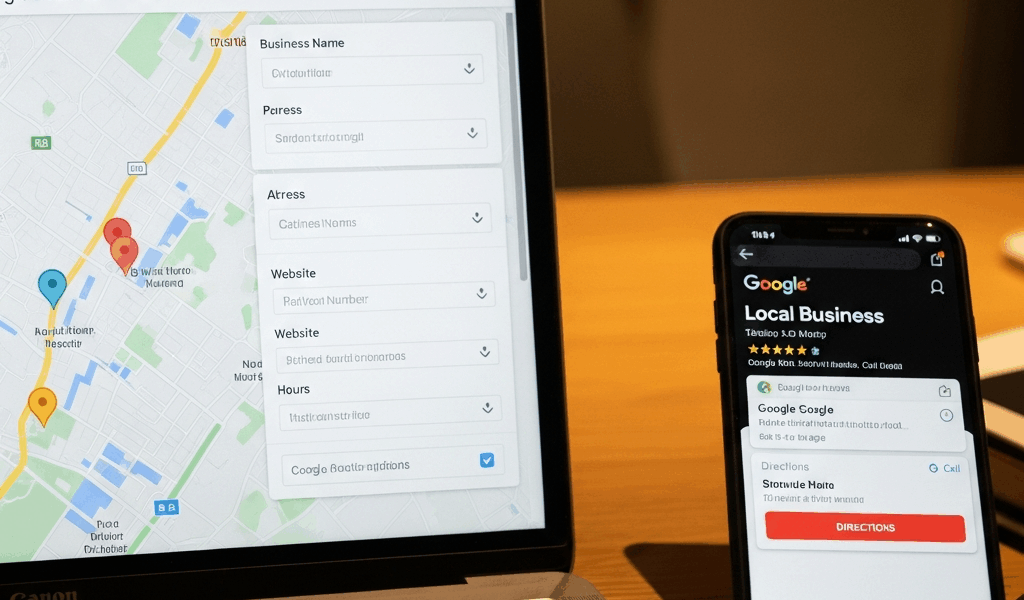
Google walks you through a form. Business name first, then business type — that’s where the primary category lives, more on that shortly — then whether customers visit a physical location. Say yes. You need the physical location for this particular setup to work.
Before you click anything, gather these five pieces of information:
- Your exact business name as it appears on your signage and legal documents
- Your street address with suite or unit number if applicable
- Your phone number
- Your business hours
- Your primary business category (and you’re going to want to think about this one)
Inconsistent business names will sabotage everything else. I watched a barbershop owner enter “Mike’s Barbershop” on Google, “Mikes Barber Shop” on their website, and “Barbershop – Mike” on Facebook. Google’s algorithm doesn’t recognize those as the same business. Your name should match exactly, everywhere. If the legal name is “Acme Corp Inc.” — use the full thing. Don’t abbreviate because it feels awkward in the form.
The address has its own trap. Enter the street address where customers actually show up. Not your mailing address. Not your accountant’s office. The physical location. If you run a service business without a storefront, you’ll deal with a service area setup — but that’s a different walkthrough. For now, assume people visit your location.
Phone number: use the main business line. One number. Not the owner’s cell. Not three extensions. One consistent number that goes on your website, your voicemail, your business cards — everything. Consistency is the entire game here.
Hours matter more than most people assume. Don’t make my mistake. A dental office client launched their profile with hours listed as 9 AM to 5 PM Monday through Friday. The office actually closed 1 PM to 2 PM daily for lunch and didn’t open Mondays until 10 AM. Their first week pulled 47 calls at times nobody answered. Three potential patients walked away immediately. Enter your actual hours — if you close for lunch, enter the morning and afternoon shifts as separate time blocks.
The category section comes next. Slow down here. This deserves its own section, honestly.
Category Selection — the Most Common Mistake
But what is a primary category, really? In essence, it’s the label Google uses to decide which searches your business can appear for. But it’s much more than that — it’s the single biggest ranking lever on the entire profile, and most people blow right past it.
Pick the wrong one and you’re invisible to the people who actually need you. A veterinary clinic that selects “Pet Store” won’t show up when someone searches “veterinarian near me.” They’ll show up for “pet supplies.” Different customer. Different intent. Different result entirely.
The form will prompt you to search for your business type. Don’t just grab the first suggestion. Read through the list. Look for the most specific category that actually matches what you do. A Thai restaurant should select “Thai Restaurant,” not “Restaurant.” A dog training facility should select “Dog Training Service,” not “Pet Service.” Specificity increases visibility — that’s what makes the primary category so endearing to us local SEO people. It does the heavy lifting.
Secondary categories exist too, and this is where you add related services. That Thai restaurant might add “Asian Restaurant” or “Full Service Restaurant.” The dog trainer might add “Dog Walking Service” or “Animal Training Service.” These catch broader searches. But the primary category is the anchor.
What you should never do: stuff categories with irrelevant tags. A plumbing company doesn’t need “Handyman,” “General Contractor,” and “Water Damage Restoration” listed unless they genuinely do that work. I’ve watched business owners do this thinking more categories equals more visibility. The opposite happens. Google penalizes category spam — you lose credibility with the algorithm, and your ranking drops. Stay focused. Stay accurate.
Verification — Why It Takes Time and What to Expect
Probably should have opened with this section, honestly, because this is the part that surprises people most. Verification by postcard — actual physical mail — is still how Google confirms most small business locations. New business owners assume this is outdated. Then they hit verify and realize Google is absolutely still doing this.
The reality: verification takes 5 to 14 days. During that window, your profile exists on Google. People can find it, see your information. But you can’t make edits, add photos, or respond to reviews. The profile stays locked until the code arrives and you enter it.
The postcard shows up with a four-digit verification code. You go back into your Google Business Profile account, select “verify by postcard,” type in the code — done. Profile unlocks.
Some businesses qualify for phone verification instead. If Google offers you this option, take it. You get a call to your business line, a recorded voice reads you the code, and the whole thing wraps up in minutes rather than two weeks. Not every business category qualifies, but it’s worth checking before you assume postcard is your only option.
Email verification exists too, though it’s less common. A link arrives in your inbox, you click it, the profile verifies immediately.
The address mismatch problem — this one’s frustrating. Sometimes Google’s database has your location slightly wrong. Maybe you moved. Maybe the suite number wasn’t recognized when Google originally indexed the building. The postcard goes to the wrong place. Doesn’t happen often, but when it does, you’re stuck waiting again.
If your postcard doesn’t arrive after 14 days, log into your account and request a new one. Another week of waiting, usually. A client who’d just relocated to a new address went through exactly this — postcard went to the old location, then a second request, then three weeks total before everything resolved. It cost time. Plan accordingly if you’ve recently moved.
The 5 Photos That Actually Matter for Local Search
After verification, Google lets you upload photos. Most business owners load 50 of them and assume more is better. It isn’t. Profiles with 5 to 8 high-quality, diverse photos consistently outperform profiles with 30 mediocre shots or — worst of all — stock imagery. Quality over quantity, every time.
While you won’t need a professional photographer on retainer, you will need a handful of decent shots taken in good light with a reasonably modern phone. Here are the five that actually move the needle:
Exterior Photo
This is the money shot. Google uses your exterior photo to match your business location in Maps searches — it helps the algorithm confirm the profile corresponds to a real building. Take this straight-on during daylight. Show your storefront, entrance, and signage clearly. No sunset filters. No wide-angle distortion. Just clear, bright, and recognizable. A potential customer should be able to use this photo to physically find you.
Interior Photo
Show what customers experience when they walk in. Restaurant? Photograph the dining area. Salon? Show the station setup. Retail shop? Show the product displays. One interior photo — make it inviting, make it clean, make it representative of the actual experience people are going to have.
Team Photo
People do business with people. One photo of your team, or if it’s just you, a professional headshot. Smiling. Approachable. A potential customer scrolling your profile sees humans — not a faceless business. That matters more than most business owners realize.
Product or Service in Action
Show the work being done. A hairstylist with a before-and-after cut. A contractor with a finished renovation. A trainer working with a client. Real work, real results — with customer permission where relevant. This is where you demonstrate actual competence rather than just claiming it.
Logo
One clear, high-resolution logo. Google displays it prominently throughout your profile. If you don’t have one yet, this is the moment to fix that — a $50 Fiverr logo is genuinely better than your business name typed in Times New Roman.
Don’t use stock photos. Ever. Google’s algorithm flags stock imagery, and customers notice immediately when the smiling office worker in your photo doesn’t match your actual storefront. Real photos win. A slightly blurry real photo beats a crisp fake one. Upload directly from your phone or camera — the metadata matters, and Google can tell when you’re trying to pass off someone else’s image as your own.
Posts and Reviews — the Ongoing Work
Your profile is live. Verified. Photographed. Here’s what happens next for most small businesses — nothing. The owner sets everything up, feels accomplished, and stops. Six months later, no new photos, no posts, no review responses. Google notices. The algorithm notices. Rankings start slipping.
This is the ongoing work. It’s not that much work, but it has to actually happen.
Google Posts
Posts are short updates that appear directly on your profile — “We’re open on Labor Day,” “New menu item this week,” “Summer sale through August 15th.” They keep your profile active and signal to Google that your business is current and engaged. Posts stay live for 7 days, then archive. That’s the point. They create a sense of right now.
One post every two weeks is enough. That’s 26 posts per year. Seasonal business? Post around your busy periods. Service-based? Post when availability changes or you’re running a special offer. The cadence matters more than the content — just stay consistent.
Reviews
Reviews validate your business to potential customers and directly affect your search ranking. Profiles with recent positive reviews rank higher than profiles with old reviews or low ratings — that’s just how the algorithm works.
First, you should ask for reviews — at least if you actually want them, which you do. But timing is everything. Ask immediately after a positive customer interaction. If someone just paid you for a service and they’re clearly happy, that’s the moment. Don’t send a review request email three weeks later when they’ve forgotten the experience entirely. The memory is fresh, they’re satisfied — that’s when you ask.
Some businesses send a text message with a direct link. Some print a QR code on the receipt that goes straight to the review form. Either approach works — the key is removing friction. The fewer steps between “satisfied customer” and “posted review,” the higher your conversion rate on those requests.


Stay in the loop
Get the latest web sme updates delivered to your inbox.