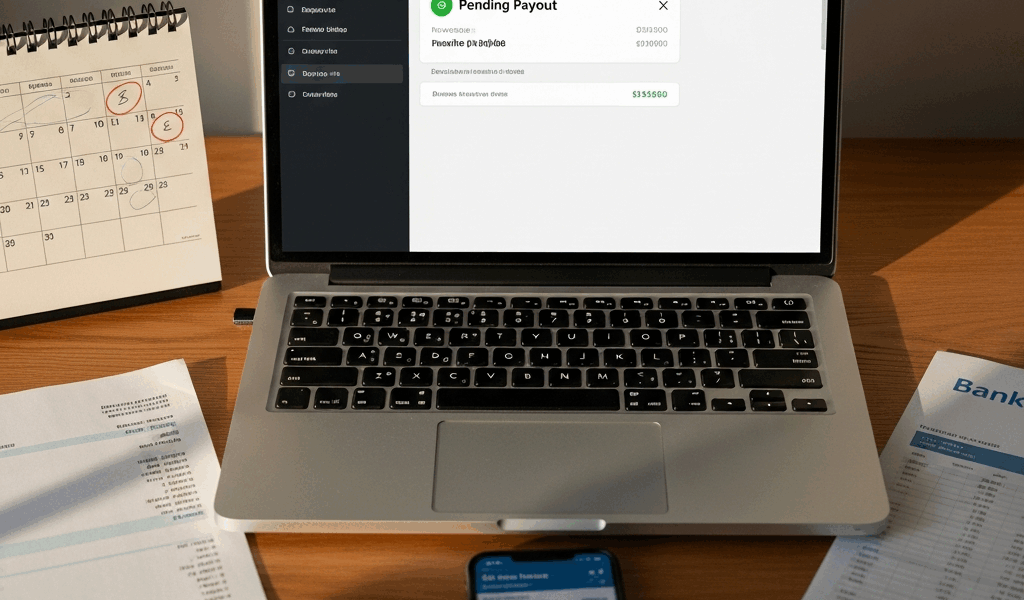
Why Stripe Holds Payouts in the First Place
Stripe payouts have gotten complicated with all the conflicting advice flying around. As someone who has spent years troubleshooting payment processing issues for online businesses, I learned everything there is to know about why deposits go missing, stall out, or vanish into what feels like a financial black hole. Today, I will share it all with you.
But what is a Stripe payout, really? In essence, it’s a scheduled transfer of your collected funds from Stripe’s system into your bank account. But it’s much more than that — it’s a multi-stage process with at least two separate processing windows: Stripe’s own release schedule and your bank’s ACH intake window. Stripe typically runs on a 1–2 business day rolling cycle for established accounts. New accounts? Different story entirely. Stripe flags those automatically, holds the funds, and waits for verification before releasing a single dollar. Weekends and federal holidays tack on another 1–3 days without warning. This isn’t a glitch in the system. It’s fraud prevention — and it works against you hardest when cash flow matters most.
The Most Common Reasons Your Payout Is Late
Unverified Account Details
Stripe requires identity verification from every account holder — no exceptions. Skip the government-issued ID upload, or have your documents bounce through automated review, and your payouts stay frozen. This is the single most common culprit I see, honestly. People set up their account fast, skip the verification step, then spend a week wondering why nothing deposits.
Payout Schedule Set to Manual Instead of Automatic
Your account might be sitting in manual payout mode, which means Stripe holds everything indefinitely until you physically request a transfer. You’d be surprised how many business owners don’t realize they selected this option during setup. The money accumulates in your Stripe balance, completely untouched, while you refresh your bank account looking for deposits that will never come on their own.
Bank Account Mismatch or Recently Changed
Updated your bank details last week? That’s probably your problem right there. Stripe requires exact matches — account number, routing number, bank name, all of it. One transposed digit and the transfer bounces straight back to Stripe, triggering a hold that takes days to sort out. Don’t make my mistake. I once swapped two numbers in a routing code and lost three days of float while support investigated.
Weekend and Holiday Processing Delays
Initiated a payout Friday at 4 p.m.? That money isn’t touching your bank account until Tuesday at the earliest — possibly Wednesday. ACH transfers don’t process on weekends. Same blackout applies to Thanksgiving, Christmas, New Year’s Day, and every other federal holiday on the calendar. The timing is unforgiving and Stripe doesn’t warn you proactively.
Risk-Related Holds on Your Account
A sudden transaction volume spike. A cluster of chargebacks inside a 72-hour window. Multiple failed payment attempts hitting the same card. Stripe’s risk systems flag all of these automatically — and when they do, payouts freeze while a review happens. Sometimes an email arrives explaining the hold. Sometimes you only find out when the deposit doesn’t show up and you go digging.
How to Check Your Payout Status in Stripe
Stop guessing. The answer is already in your dashboard.
Log in, click Balances in the left sidebar. You’ll see your current balance broken down by currency. Below that, click the Payouts tab — that’s where the real information lives. Each payout appears as a row showing a date, an amount, and a status label. Here’s what those labels actually mean:
- In Transit — Your payout left Stripe and your bank is processing it. Normal. Wait 1–2 business days and stop refreshing.
- Paid — The money reached your bank account. This is what you want to see.
- Failed — The payout bounced, almost always because of a bank account mismatch. Needs fixing before anything moves.
- On Hold — Stripe isn’t releasing the funds yet. Either a risk review or a verification issue is blocking it.
- Canceled — The payout was terminated — by you or by Stripe. Rare unless you manually canceled it yourself.
Click any individual payout row for the full breakdown — exact amount, timestamp, and sometimes a specific reason if something failed. If the status shows Failed, click into it. Stripe usually surfaces the reason directly: “bank account could not be verified” or “insufficient funds in receiving account” are the two messages I see most often.
Probably should have opened with this section, honestly. Most people spiral into panic mode before ever actually checking the dashboard.
Steps to Fix a Delayed or Stuck Stripe Payout
Step 1: Verify Your Identity if You Haven’t Already
Navigate to Settings → Account → Verification. If the status shows anything other than “Verified,” Stripe needs documents before releasing your money. Upload a clear photo of your driver’s license or passport — front and back, good lighting, no blur. Include your face in the frame. Stripe’s automated review system typically clears these within a few hours, sometimes faster.
Step 2: Confirm Your Bank Account Details Match Exactly
Go to Settings → Bank Accounts and Transfers. Pull up an actual paper bank statement or your bank’s app and compare every character of your account number and routing number side by side. I’m apparently the type of person who transposes digits under pressure — I entered 941000025 instead of 914000025 once and that single character mismatch cost me three days and a genuinely embarrassing call to my bank’s support line. If anything is off, delete the old account entry entirely and re-add it with the corrected information. Don’t try to edit in place.
Step 3: Confirm Automatic Payouts Are Enabled
Still inside Settings → Bank Accounts and Transfers, find your payout schedule setting. It should read “Automatic” with a frequency — “Daily” or “Every 2 days” are the standard options. If it says “Manual,” click Change and switch it over. Manual mode means Stripe waits for you to request every single payout. It won’t move money on its own — ever.
Step 4: Check for Stripe Review Flags
Search your inbox for anything from Stripe Support — subject lines usually include phrases like “unusual activity detected” or “your account is under review.” Check your Stripe dashboard notifications too. These messages are worth reading carefully. Sometimes the hold resolves the moment you confirm basic business details or clarify a question about your transaction volume. Thirty seconds of attention can unlock a week’s worth of stuck deposits.
Step 5: Escalate to Stripe Support With the Right Information Ready
None of the above resolved it? Contact Stripe Support directly through the dashboard — click the Help icon in the top right corner, then Contact Support. Before you open the chat or ticket, have your payout ID pulled up (it’s visible in the Payouts tab), the exact dollar amount, the date the payout was initiated, and the current status label. Screenshot it. Stripe support typically responds within 24 hours on weekdays — faster if your account is on a paid plan.
How to Stop Stripe Payout Delays From Happening Again
Keep your verification documents current. Government-issued IDs expire — usually every four to eight years depending on your state. Resubmit yours proactively every two years, even when Stripe hasn’t asked. Waiting for a prompt means waiting for a hold.
First, you should open a dedicated business checking account — at least if you’re running any kind of real transaction volume. A business account at somewhere like Chase, Mercury, or Relay triggers fewer automatic holds than a personal account. Stripe’s risk systems treat them differently, and the difference shows up exactly when you need cash fast.
Transaction volume spikes might be the best signal to communicate proactively, as Stripe’s risk systems require context. That is because a sudden 3x jump in daily volume looks identical to a compromised account from the outside. If you’re launching a big campaign or sale, email Stripe Support 48 hours ahead of time. A one-paragraph heads-up prevents automatic holds that would otherwise take days to manually clear.
Enable payout notifications — Settings → Notifications, then switch on both “Payout paid” and “Payout failed” emails. You’ll know within minutes instead of discovering a problem by staring at an empty bank balance on payday.
That’s what makes understanding this system so valuable to anyone running an online business. Most delays resolve within 1–2 business days once you identify the actual cause. Your money isn’t lost. It’s sitting somewhere in the verification or processing pipeline, waiting on one specific thing to clear. Find the bottleneck, fix it, and move on.




Stay in the loop
Get the latest web sme updates delivered to your inbox.