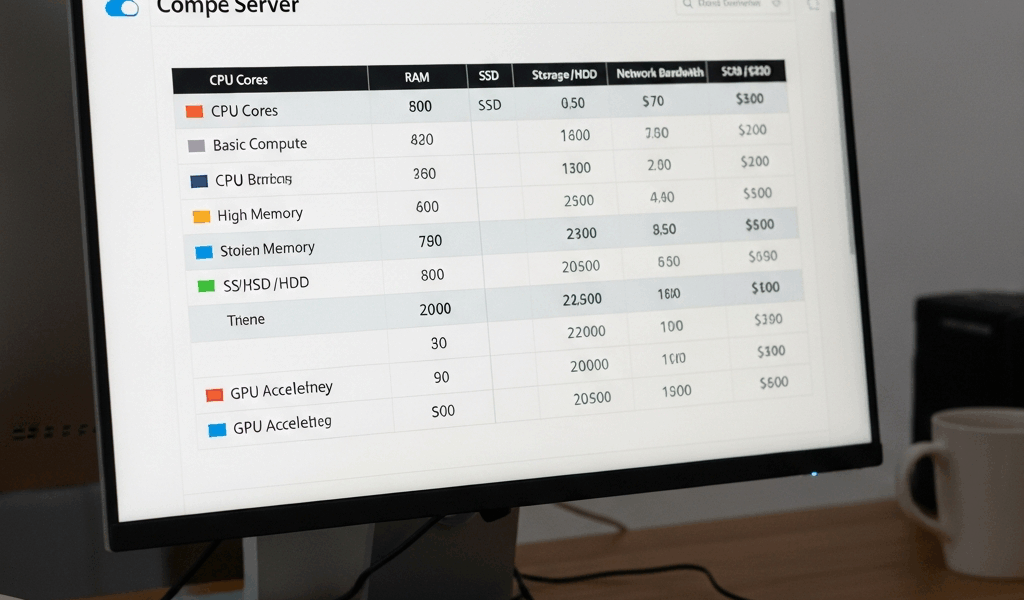
EC2 Instance Types
Amazon Web Services offers a variety of EC2 instance types tailored for different use cases. Understanding these options can help you choose the most efficient and cost-effective instance for your application. I have seen teams waste thousands of dollars monthly by choosing the wrong instance types, so this decision matters.
General Purpose Instances
These instances offer a balance of compute, memory, and networking resources. They are ideal for a variety of diversified workloads and are where most people should start.
Types

- t4g: These instances are powered by Graviton2 processors. They offer a cost-effective option for moderate workloads and can save 20-40% over Intel-based instances for compatible workloads.
- t3: Best for burstable performance and cost savings. Used for small databases and development environments. The burstable model works well for workloads with variable CPU usage.
- m5: A good choice for web applications, gaming servers, and app servers. Provides a balanced mix of memory, storage, and compute.
- m4: Previous generation, still relevant for various applications. Suitable for servers that require a balance of resources but may be phased out eventually.
Compute Optimized Instances
These instances are designed for compute-intensive applications. They offer high-performance processing power for workloads that need it.
Types
- c6g: Powered by Graviton2 processors. Great for high-performance computing workloads. The cost savings over x86 instances can be substantial.
- c5: Ideal for batch processing, distributed analytics, and high-performance web servers. Provides high-performance processing power at a lower cost than older generations.
- c4: Previous generation but still useful for some compute-bound applications.
Memory Optimized Instances
Designed for applications that require a lot of memory. Suitable for in-memory databases and data processing where you need to keep large datasets in RAM.
Types
- r5: Suitable for high-performance databases and big data processing. I use these for Redis clusters and memory-intensive application servers.
- r4: Previous generation. Still useful for similar workloads as r5 but consider upgrading when possible.
- x1e: Offers high memory capacities. Used for in-memory databases like SAP HANA where you need massive amounts of RAM.
Storage Optimized Instances
These instances are suited for workloads that require high, sequential read and write access to large data sets on local storage.
Types
- i3: Best for workloads that require high, low-latency local storage. Examples include NoSQL databases and data warehousing.
- d2: Ideal for applications that need high disk throughput. Suitable for data warehousing and log processing.
Accelerated Computing Instances
Accelerated computing instances include instances that use hardware accelerators, or co-processors, to perform functions such as floating-point number calculations, graphics processing, or data pattern matching more efficiently.
Types
- p4: Highest performance GPUs. Ideal for Machine Learning and AI training workloads. Expensive but powerful.
- p3: Still good for ML and AI workloads, but at a lower cost than p4.
- g4: Good for graphics-intensive applications and inference workloads where you do not need the full power of p-series instances.
Pricing Options
EC2 instances offer several pricing models. Understanding these can further optimize both performance and costs. Getting pricing right is often where the real savings happen.
- On-Demand: Pay for the instance by the second with no long-term commitments. Most flexible but most expensive.
- Reserved: Commit to using an instance for a one or three-year period. Save up to 75% over on-demand pricing. Makes sense for stable, predictable workloads.
- Spot Instances: Purchase unused EC2 capacity at a discounted rate up to 90%. Ideal for time-flexible tasks that can handle interruption.
- Dedicated Hosts: Physical servers dedicated for your use. Helps to reduce costs by allowing you to use your existing server-bound software licenses.
Use Cases
Each EC2 instance type has a variety of use cases. Matching your workload to the right instance type is important.
- Web Servers: General-purpose instances like t3 and m5 work well for most web applications.
- Databases: Memory-optimized instances such as r5 or x1e are suitable for databases that need to keep data in memory.
- Machine Learning: Accelerated computing instances like p4 and g4 are ideal for training and inference.
- Big Data Processing: Compute-optimized instances (c5) or storage-optimized instances (i3) are recommended depending on whether you are CPU or IO bound.
- Gaming Servers: Balanced resources from m5 instances fit well for game servers.
Instance Features
Various features enhance the functionality and utility of EC2 instances.
- Elastic Block Store (EBS): Persistent block storage for your instances. Snapshotting becomes easy, and data persists beyond instance lifecycle.
- Elastic Load Balancing (ELB): Distributes incoming application traffic across multiple targets to increase availability.
- Auto Scaling: Automatically adjusts the number of instances to handle loads. Reduces costs during low traffic and maintains performance during spikes.
Best Practices
To make the best use of EC2 instances, practice these strategies:
- Regularly monitor and analyze instance usage and performance. Right-sizing is an ongoing process.
- Perform cost and usage audits. AWS Cost Explorer helps identify waste.
- Utilize auto-scaling to handle variable traffic automatically.
- Choose the right instance type for your specific workload. Start with general purpose and specialize if needed.
- Take advantage of Reserved Instances for predictable workloads. The savings add up significantly.
By deeply understanding EC2 instance types, you will be better equipped to make informed decisions that align with your needs and budget. I have seen proper instance selection cut AWS bills by 50% or more.




Stay in the loop
Get the latest web sme updates delivered to your inbox.