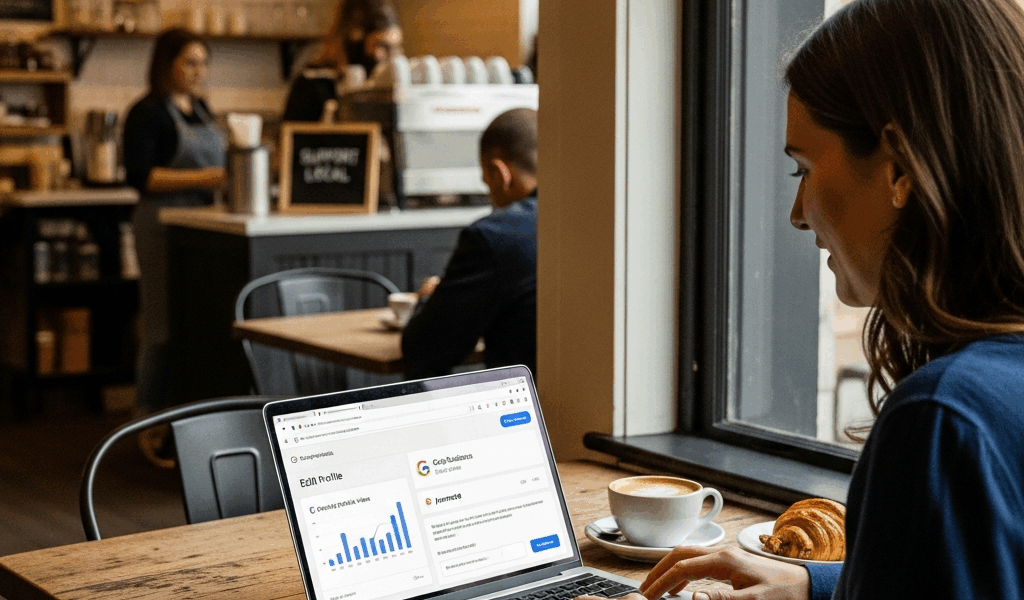
Google Business Profile Optimization — The Free Marketing Most Small Businesses Ignore
Google Business Profile optimization is probably the highest-return marketing activity available to a local business owner, and most people treat it like a DMV form they filled out once and never touched again. I spent three years helping small retail and service businesses grow before I truly understood how much free visibility was sitting unclaimed in these profiles. A restaurant owner I worked with in 2021 tripled her direction requests in 60 days without spending a dollar. She just finished what she started.
This isn’t about hiring an SEO agency. Everything here costs nothing except time — maybe 90 minutes upfront and 5 minutes a week after that.
Why Google Business Profile Matters More Than Your Website
Here’s something most small business owners don’t realize: for local searches, your Google Business Profile shows up above your website in search results. Above it. That map pack sitting at the top of the page — that’s GBP territory. Your beautiful $4,000 website is below the fold while your GBP is the first thing a potential customer sees.
Forty-six percent of all Google searches have local intent. Someone typing “plumber near me” or “best tacos open now” — Google is reaching for business profiles first. Not websites. Profiles.
The opportunity is real. Most small business profiles are incomplete, outdated, or abandoned entirely after the initial setup. That’s not a problem. That’s a gap you can close this week. Competing businesses are leaving visibility on the table, and you can pick it up without paying anyone anything.
Frustrated by how invisible her landscaping business felt online, a client of mine spent one afternoon completing her GBP profile using nothing but her phone and a cup of coffee — and she started appearing in the local pack for “lawn care [her city]” within two weeks. She hadn’t changed her website. Hadn’t run a single ad. Just finished the profile.
Complete Every Field — The Basics Most Skip
Google rewards completeness. The algorithm treats a fully completed profile as a signal of legitimacy and relevance. Incomplete profiles rank lower. Simple as that.
Here’s what most people actually fill out: business name, phone number, address. Here’s what they leave blank:
- Business hours — including holiday hours and special hours
- Service area (for mobile businesses or anyone who serves customers at their location)
- Business attributes — things like “women-owned,” “outdoor seating,” “free Wi-Fi,” “wheelchair accessible”
- Products and services list with individual descriptions and prices
- Business description (up to 750 characters — use keywords naturally here)
- Opening date
- Business category — primary and secondary categories
The business description field is where I see the most wasted opportunity. You get 750 characters. Use them. Write naturally, mention what you do, who you serve, and where you’re located. Don’t stuff keywords awkwardly — write a description you’d actually want a customer to read. Something like: “Family-owned auto repair shop in downtown Raleigh serving Wake County since 2009. We specialize in European vehicles — BMW, Audi, Mercedes — and offer free diagnostics on all new customers.”
That’s real. That’s readable. That also hits keywords Google cares about.
The attributes section is genuinely underused. Every attribute you select is a filter someone might use to find businesses like yours. Check every attribute that honestly applies to your business. Probably should have opened with this section, honestly — attributes alone can put you in front of search filters that competitors don’t appear in.
Your primary business category matters more than people think. If you run a barbershop, “Barber Shop” should be your primary category — not “Hair Salon.” Get specific. Google uses category data heavily in ranking decisions.
Photos That Drive Clicks
Businesses with photos on their Google profile receive 42% more requests for directions and 35% more website clicks than businesses without them. Those numbers come from Google’s own data. And yet I’ve seen countless business profiles with zero photos, or worse — one blurry exterior shot from 2019.
You don’t need a professional photographer. You need a decent phone. The iPhone 13 or any recent Android flagship shoots more than well enough for this purpose.
Here’s what to photograph:
- Exterior — taken at street level, during the day, showing your signage clearly. Shoot from multiple angles.
- Interior — show the space customers will walk into. Clean it first.
- Products or work — if you sell physical products, photograph them. If you do service work, photograph the results. Before-and-after photos for contractors, landscapers, and cleaners perform particularly well.
- Team — real people build trust. A photo of your staff, even informal, makes the business feel less anonymous.
- At work — a plumber under a sink, a baker pulling bread from the oven, a dog groomer mid-session. Action photos outperform posed shots.
Upload at least 10 photos when you’re doing your initial optimization pass. After that, add new photos once or twice a month. Google tracks photo freshness. A profile that added three photos last Tuesday looks more active than one that has 50 photos all uploaded in 2021.
One mistake I made early on: uploading heavily filtered, over-edited photos that looked polished but unrealistic. A customer walked into a client’s bakery expecting bright Instagram lighting and felt misled by the actual cozy-but-dim interior. Accurate beats beautiful. Let customers know what they’re actually walking into.
Review Management — How to Get and Respond to Reviews
Reviews are trust signals and ranking factors simultaneously. Google looks at review quantity, velocity, recency, and rating. Velocity — how frequently you’re getting new reviews — matters more than having a large total from two years ago. Ten reviews in the past 30 days beats 100 reviews with none since 2022.
Ask. Every satisfied customer. Ask at the moment of highest satisfaction — right after a great haircut, right after the repair job comes in under budget, right when the customer says “wow, thank you so much.” That’s the moment. Pull up the review link on your phone and hand it to them, or text it immediately after the appointment.
Get your review link by going to your GBP dashboard and clicking “Share review form.” It gives you a short URL. Save it in your phone’s notes right now. Text it from a template like this:
“Hi [Name], it was great working with you today. If you have 2 minutes, an honest Google review means the world to a small business like ours — here’s the link: [URL]. Either way, thank you for choosing us.”
Respond to every review. Every single one.
For positive reviews, keep it short and genuine. Something like: “Thanks so much, [Name] — we’re so glad the repair worked out. Come see us anytime.” Don’t paste the same canned response to every review. Google notices pattern responses. More importantly, real customers notice.
For negative reviews, take a breath first. Respond publicly, stay calm, and avoid being defensive. Acknowledge the experience, apologize that they were disappointed (not necessarily that you were wrong), and invite them to contact you directly to resolve it. You’re not writing that response for the unhappy customer — you’re writing it for every future customer who reads it.
Posts and Updates — The Free Marketing Nobody Uses
Google Business Profile lets you publish posts directly to your listing. These appear in your profile when someone searches for your business — sometimes in the broader local pack too. They look like small social media posts with a photo, text, and a call-to-action button.
Almost nobody uses them. That’s the whole point.
GBP posts signal to Google that your business is active and engaged. They give customers a reason to click. And they’re free. Five minutes a week, maximum.
Post types available:
- Offers — “15% off all services booked before December 31.” Add a redemption code so you can track it.
- Events — a sale, a workshop, a community event you’re hosting or attending.
- Products — highlight a specific item, seasonal product, or new arrival.
- Updates — general news about the business. New hours, new staff, a new service you’ve added.
Posts expire after seven days unless they’re event-based. That’s actually useful — it forces freshness. Set a reminder on your phone every Monday. Write one post. Take or grab one photo. Five minutes. Done.
The content doesn’t need to be creative or sophisticated. “We just restocked our 12-oz house blend coffee for fall — swing by and grab a bag before we sell out” is a perfectly good post. Real, specific, useful.
Taken together — a complete profile, fresh photos, consistent reviews, and regular posts — these steps represent a level of local search visibility that most small businesses simply haven’t claimed. The businesses outranking you in the local pack probably aren’t doing anything sophisticated. They just did the basics consistently. That’s the whole game.
Start with the profile completion today. It takes 45 minutes. Everything else builds from there.




Stay in the loop
Get the latest web sme updates delivered to your inbox.