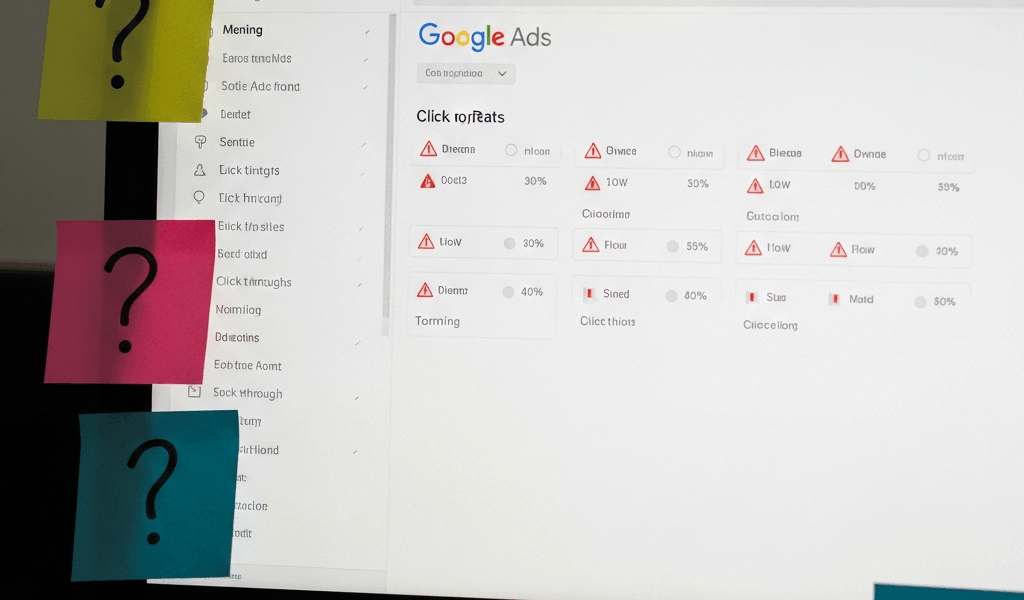
Why Your Google Ads Are Not Getting Clicks
Google Ads has gotten complicated with all the conflicting advice flying around. Set up a campaign, pick some keywords, write an ad — sounds simple enough. But then you check back a week later and your impressions are flatlined, your budget is barely moving, and your phone is absolutely silent.
As someone who has watched dozens of small business owners burn through their first $200 on Google Ads with nothing to show for it, I learned everything there is to know about why this happens. Today, I will share it all with you.
The short version: Google Ads works. It works for local plumbers, solo accountants, ecommerce shops, dentists. But the setup has to be right, and most people get three or four things wrong simultaneously without realizing it. The fixes are not complicated. You do not need an agency. You just need to know where to look.
Your Budget or Bids Are Too Low to Compete
Here is how Google Ads works in one sentence: you bid against other businesses for the same search, and Google ranks ads partly on bid amount and partly on quality.
If your maximum cost-per-click is $0.20 and your competitors are bidding $1.50 for the same keyword, your ad does not show up third or fourth. It does not show up at all. The auction eliminates you before it starts.
This is the most common reason small business ads fail silently. That’s what makes it so maddening — there’s no error message, no warning. Just zero impressions.
Let’s say you’re a handyman in Charlotte running a $3 daily budget with a $0.20 max CPC. Google checks your bid against what everyone else is willing to pay for “emergency handyman Charlotte.” If the going rate is $1.20 to $2.00 per click — and it often is — your ad never enters the auction. That $3 daily budget just accumulates untouched at the end of every month.
Probably should have opened with this section, honestly. The fix starts with the Keyword Planner tool inside your Google Ads account. Search your core keyword, filter by your location, and look at the suggested bid range. For competitive local service keywords in 2025, expect somewhere between $1.50 and $4.00 per click in major metros — $0.80 to $2.50 in smaller markets. That is a real cost baseline, not a rough suggestion.
Then pull up the Auction Insights report inside your campaign. This shows what competitors are actually bidding. If you’re at $0.50 and the average is $1.75, you now have a concrete answer. Raise your max CPC to match or slightly exceed the market rate. If you cannot afford that across all keywords, narrow your keyword list to less competitive terms or increase your daily budget — at least if you actually want the ads to run.
Your Keywords Are Not Matching Real Searches
Google gives you three keyword match types: broad, phrase, and exact. Each one controls how loosely or tightly a search query has to match your keyword before your ad fires.
Broad match is the default setting. Add the keyword “marketing services” and your ad can appear on searches like “digital marketing agency,” “social media help,” or — I’ve seen this happen — “how to fire your marketing team.” Broad match casts a wide net. It also burns budget fast on people who will never buy from you.
Phrase match is tighter. The search has to include your keyword phrase in roughly the same order, but words can appear before or after it. “Emergency plumber” matches “emergency plumber downtown” and “24-hour emergency plumber near me” — but not “plumber in an emergency.” Flexible, but not a free-for-all.
Exact match is strict. “Custom cabinet maker” shows your ad on searches for “custom cabinet maker” and close variants like “custom cabinets made to order” — but not “cabinet repair” or “wood cabinet design.”
Most first-time advertisers default to broad match on generic keywords like “plumbing” or “marketing” and then genuinely cannot figure out why they are paying for clicks from people who are never going to call them.
The fix: go to your campaign, hit the Keywords tab, and open the Search Terms report. This shows every actual search query that triggered your ads. Scan it. Look for obvious mismatches. If you are a high-end portrait photographer and Google is running your ad on “free DIY photo tips” or “cheap headshots near me” — that is a problem. Add those as negative keywords immediately.
Negative keywords are your best friend here. They tell Google which searches to ignore entirely. A tax accountant, for instance, might add “free,” “DIY,” and “template” as negatives so ads stop showing to people hunting for free TurboTax alternatives. Then tighten your match types — move your highest-intent keywords to exact match, use phrase match for secondary terms, and reserve broad match only for campaigns with enough budget to absorb the waste.
Your Quality Score Is Dragging Down Your Ad Rank
Google ranks ads using a formula: bid amount times Quality Score.
Quality Score is Google’s 1-to-10 rating of how relevant your ad and landing page are to what someone searched for. A 10 means perfect relevance. A 3 means you are overpaying for bad placement.
Three things determine it:
- Expected Click-Through Rate (CTR) — Will people actually click your ad when they see it?
- Ad Relevance — Does your ad text actually match the keyword and what the searcher wants?
- Landing Page Experience — Does clicking your ad take someone to a page that delivers exactly what you promised?
Here is where most small business owners lose points — they send every click to their homepage. Say you’re running an ad for “emergency plumbing services.” Your headline reads “24-Hour Emergency Plumber — Same-Day Service.” Someone clicks. They land on your homepage, which has a hero banner about your company history, a full service menu, testimonials, and a contact form buried somewhere at the bottom. Your emergency plumbing page is three clicks away.
Google notices that disconnect. Quality Score drops. Ad rank drops. You pay more per click for worse positioning. Don’t make my mistake — I ran ads for six months sending traffic to a homepage before someone finally told me why my cost-per-lead was nearly double what it should have been.
The fix is straightforward. Build landing pages that match your ad promises exactly. If your ad says “emergency plumbing,” the landing page should open straight into emergency plumbing information, transparent pricing, and a booking button — nothing else competing for attention.
Check your Quality Score in the Keywords tab. Click into any keyword scoring below 5. Google flags which of the three factors is hurting you. “Landing Page Experience: Below Average” means redesign or replace the page. “Ad Relevance: Below Average” means rewrite your ad copy so it mirrors the exact keyword language more closely. Aim for a 7 or higher. A 5 or 6 is workable but expensive. Below 5, you are getting punished on every single click.
Your Ad Is Disapproved or Limited by Policy
Sometimes your ads aren’t getting clicks because they are not running at all.
Go to the Ads & Assets tab. Check the status column. It should say “Enabled” with a green checkmark. If you see “Disapproved,” “Under Review,” or “Eligible (Limited),” that is your problem right there.
Disapproved means Google rejected the ad outright. Common reasons for small businesses include:
- Your business phone number isn’t verified on Google Business Profile
- Your business address is missing or inconsistent
- Your business falls into a restricted category — financial services, pharmaceuticals, alcohol — and requires additional credentials before ads can run
- Your ad copy contains claims Google considers unverifiable, like “best in the city” or “guaranteed results”
- Your landing page has broken links or loads so slowly that Google flags the experience
Eligible (Limited) means the ad is technically running but being throttled because of a policy flag or account issue.
Click directly on the disapproved ad to see the exact reason. Google usually links you to the specific fix. Unverified phone number? Go to Google Business Profile, verify it, and wait roughly 24 hours for Google Ads to re-review. Unverifiable claims in your copy? Remove them and resubmit. The Policy Manager tool — found in the tools menu — lists every policy that applies to your specific industry. Financial advisors need specific disclaimers. Lawyers cannot promise case outcomes. Debt relief companies face significant restrictions. Read it, adjust accordingly, resubmit. Most disapprovals flip back to approved within a few hours.
Quick Checklist Before You Spend Another Dollar
So, without further ado, let’s dive in — run through this before touching another campaign setting:
- Is your billing active? A declined or expired card pauses your entire campaign with no notification. Check your payment method first.
- Is your campaign enabled, not paused? Go to the Campaigns tab. Status should read “Enabled.” If it says “Paused,” that’s a one-click fix.
- Check your location targeting. Many people accidentally leave targeting set to “All countries” instead of their service area. Go to campaign settings, open Locations, and confirm you’re only targeting your city or region — not the entire planet.
- Check your ad schedule. If ads are set to run 9am–5pm but your customers search at 8pm, you’re invisible during your best hours. Expand the schedule or remove the time restriction entirely.
- Verify your bid is competitive. Run Keyword Planner. If your max CPC is below the suggested bid range, raise it to market rate.
- Review the Search Terms report. Irrelevant searches triggering your ads? Add them as negative keywords immediately.
- Check Quality Score. Any keywords below 5 need attention — fix the landing page or rewrite the ad copy to match keyword intent more closely.
- Confirm your ad is approved. Green checkmark in the Ads tab means you’re live. Anything else means you have a disapproval to resolve.
- Check Search Impression Share. Find this metric in the Campaigns tab. Below 50% signals your bid or budget is too low to show for all eligible searches — raise one or both.
- Test a different landing page. If your current page is underperforming, build a simpler, faster-loading version that matches your ad promise exactly and run both simultaneously.
Google Ads works. It genuinely does — local plumbers, dentists, and service providers pull steady leads from it every single day. I’m apparently wired to obsess over campaign settings and Google Ads works for me while spray-and-pray keyword strategies never do. The difference between advertisers who win and those who quit after two weeks is almost always setup details, not luck or budget size. Fix these issues, and your clicks will come.


Stay in the loop
Get the latest web sme updates delivered to your inbox.