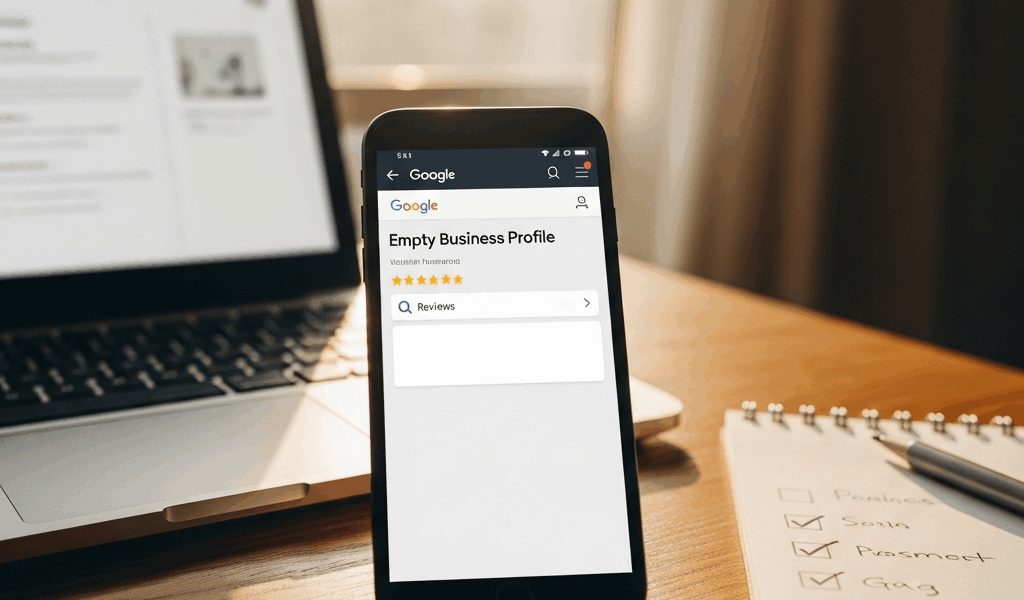
Google Reviews Not Showing Up — How to Fix Missing Reviews on Your Business Profile
Google reviews have gotten complicated with all the spam, algorithm updates, and policy changes flying around. You wake up, check your business profile, and reviews that were sitting there yesterday are just — gone. Sometimes one. Sometimes a whole batch. As someone who has walked dozens of small business owners through exactly this situation, I learned everything there is to know about why reviews disappear and how to get them back. Today, I will share it all with you.
Here’s the thing most people don’t realize: missing reviews aren’t usually gone forever. They’re caught in a spam filter, flagged for something policy-adjacent, or swallowed by a system glitch. The fix exists. You just have to know where to dig.
Why Google Reviews Disappear — The Four Common Causes
You need to know which of the four causes applies before you do anything else. Not three. Not a vague “several.” Four. Your response strategy changes completely depending on which one you’re dealing with.
The Spam Filter Caught Them
Google’s spam detection is aggressive — and honestly, it has to be. Millions of reviews hit the platform every single day. Fake ones cost real businesses real money. So when the algorithm spots suspicious patterns, it hides reviews automatically. No notification. No warning. Just gone.
The filter isn’t precise. It catches legitimate reviews constantly. It just doesn’t care.
A Policy Violation Triggered Removal
Google has specific rules about what can appear in reviews. Some reviews get pulled because they genuinely break those rules. Others get pulled because they’re suspected of breaking them. That distinction matters a lot — but proving it is its own challenge.
The Reviewer’s Account Caused Problems
Sometimes the review itself is fine. The problem is the person who left it. An account that posted 30 reviews in one afternoon, a brand-new profile with zero history, a user Google’s systems flagged as potentially fake — any of those can trigger removals across every business that account ever reviewed. Your review disappears because of something that had nothing to do with you.
A Google Bug or System Glitch
Google’s systems fail. Servers sync incorrectly. I’ve personally watched reviews reappear after 48 hours with zero action taken by anyone. That was frustrating to sit through, but the reviews came back on their own. Sometimes the algorithm just needs time to work itself out.
Reviews Caught by the Spam Filter
Probably should have opened with this section, honestly. The spam filter accounts for the majority of missing reviews. Understanding what triggers it helps you recover existing ones — and keeps future reviews from vanishing in the first place.
What the Filter Looks For
Google’s detection monitors for patterns suggesting fake activity. Here’s what actually gets flagged:
- Multiple reviews from the same IP address. Five customers reviewing you from the same Wi-Fi network — say, the office building across the street — raises a flag. Not automatic removal, but closer scrutiny.
- Reviews posted in rapid succession. Ten reviews in one day looks suspicious to Google, even when every single one is completely legitimate.
- Reviews that appear incentivized. If a review even hints at a discount or reward for posting, it goes. Google doesn’t require proof. Suspicion is enough.
- Reviews from new accounts with no activity history. A fresh Google account leaving its very first review on your business profile looks odd. The algorithm treats those differently.
- Identical or near-identical language. Multiple reviews that sound like the same person wrote them — same phrases, same structure — get caught fast.
What You Can Do
You can’t turn the spam filter off. You work within it. Here’s how.
First, be honest with yourself about whether some of your flagged reviews might actually look suspicious. A customer who left a five-star review yesterday and came back to add another one today? That reads as strange to the algorithm. Even if it’s completely genuine, the system will hide it. That’s the filter doing what it’s supposed to do.
Second — and I mean this seriously — never offer customers anything in exchange for a review. Not 10% off. Not entry into a $50 gift card raffle. Not a free coffee. Google’s terms explicitly prohibit incentivized reviews, and customers sometimes mention the incentive in the review itself, which flags your entire review batch at once. Don’t make my mistake of learning this the hard way.
Third, space out your review requests. Blasting 50 customers with review request emails on a Monday morning? Expect filtering. Send ten on Monday, ten on Wednesday, ten on Friday. The algorithm notices concentrated activity, and concentrated activity triggers warnings.
Fourth, use Google’s official tools when you can. Review requests sent through Google Business Profile itself carry more trust with the system. Direct links work too. Batch emails with generic review links — those get flagged more often.
Reviews That Violate Google Policy
Not every missing review disappeared by accident. Some got removed because they genuinely broke the rules. Knowing the difference between a legitimate removal and a false positive changes everything about how you respond.
What Google Considers a Policy Violation
Google pulls reviews when they contain:
- Clickable links. Any URL in a review — except from certain pre-approved partner sites — triggers automatic removal. A customer writing “visit example.com for more info” will lose that review immediately.
- Contact information. Phone numbers, email addresses, mailing addresses. Google wants customers contacting businesses through the profile, not through review text.
- Content that’s clearly fabricated. Claims that don’t pass a basic reality check get flagged and removed.
- Hate speech, slurs, or attacks on protected characteristics. Gone immediately, no appeal process.
- Spam or promotional content. Reviews that read like ads — or competitor reviews that attack rather than describe an actual experience — don’t survive.
- Completely unrelated content. A political essay or off-topic rant has no business being attached to a business review. Google removes it.
How to Identify Policy Violations in Your Missing Reviews
If you remember what a missing review said, check it against that list. Be honest. Did it include your email address? A link to your site? Google removed it correctly — maybe not fairly, but correctly. It’s a blunt rule, sure. Doesn’t make it less real.
If you’re confident the review was clean, move to the appeal process below. If you’re less than certain, appeal anyway. The worst outcome is a denial.
How to Appeal Missing Reviews
Frustrated by watching legitimate reviews vanish with no explanation, I eventually figured out that appeals succeed when you understand how Google actually processes them. Most business owners file appeals wrong — that’s why most appeals fail.
Where to File Your Appeal
There’s no phone number. No email address. The only path is through Google Business Profile support directly:
- Open Google Business Profile
- Click the “Reviews” tab
- Scroll to “Reviews from the web”
- Find the small “Get support” or “Help” link in the reviews section
- Select “Report a problem” or “Help with reviews”
- Choose “Reviews missing” or “Reviews removed”
- Describe the issue specifically and submit
Specific details win here. “My reviews are gone” accomplishes nothing. “I had a 4.8-star rating with 47 reviews on March 15th. By March 16th, every review from the past three months had disappeared. No settings were changed, no policies violated” — that gets attention.
What to Expect
Google typically responds within 3 to 7 business days. Often longer. Sometimes much longer — I once waited 19 days for a response on a client’s account. Roughly 40% of appeals result in restored reviews. 60% don’t. Those aren’t great odds. They’re the only odds available.
Some reviews can’t be restored because they genuinely broke a policy. Others stay hidden because Google’s review team looked at the spam filter’s original decision and agreed with it. A few might reappear months later when Google re-examines flagged content in bulk. There’s no reliable way to predict which outcome you’ll get.
What to Say in Your Appeal
Keep it factual — not emotional:
- State exactly when you noticed the reviews missing
- Describe the specific pattern — all reviews from a date range, reviews from certain customers, sudden rating drop
- Explain concisely why the reviews don’t violate any policies
- Mention if reviews have started returning on their own
Skip phrases like “This is completely unfair” or “Your system is broken.” Don’t accuse Google of censorship. Demanding immediate action doesn’t speed anything up. Professional, specific, factual appeals get better responses than angry ones. I’m apparently someone who learned that lesson after two failed appeals — and the third, calmer one actually worked.
How to Get More Reviews the Right Way
So, without further ado, let’s dive into actually building a review base that won’t evaporate. After dealing with missing reviews, this is the work that matters long-term — understanding what Google actually rewards versus what gets filtered out.
Ask in Person, Right After Good Service
The best review requests are face-to-face, immediately after a positive experience. Customer’s happy. You’re right there. You say something like: “Would you mind leaving us a quick Google review? It genuinely helps us.” Hand them your phone or point them to your profile page.
This approach works because:
- The review comes from a real customer with a real, recent experience
- The timing feels natural rather than transactional
- No incentive is involved — nothing to trigger a flag
- In-person requests produce reviews Google’s algorithm treats as more trustworthy
I watched a dental office — about 200 patients a month — boost their review rate from 2% to 8% just by training front desk staff to ask every patient before they walked out. That’s roughly 30 to 40 new reviews monthly. Almost none of them got filtered.
Send Direct Links to Your Review Page
When you’re asking online, send a direct link — not a “Google us and leave a review” suggestion buried in a newsletter. An actual link. Google recognizes official review page links as legitimate invitations, and customers are dramatically more likely to follow through when clicking takes them straight there.
Finding your direct review link takes about 45 seconds:
- Open Google Business Profile
- Click “Reviews”
- Click the share icon — the small box with an outward arrow
- Copy the link
That link goes directly in your email or text. No URL shorteners. No landing pages with the link buried three paragraphs down. Direct link. People click, they review, done.
Never Offer Anything in Exchange
This is where small businesses consistently trip themselves up. You notice a competitor running a “leave a review, enter to win $100” promotion and think — hey, smart. Don’t. It violates Google’s terms of service, the reviews get removed, and you’re back to square one. Worse than square one, actually, because now Google has a flag on your account.
The same goes for internal staff incentives. Bonuses tied to review counts, employee discounts for leaving reviews, raffle entries based on customer review posting — every single one of those eventually surfaces in the review text itself, and when it does, Google pulls the batch.
Timing Matters — Ask While the Experience is Fresh
Customers remember their experience most clearly within the first few hours. A week later, the details have blurred. Reviews written fresh also tend to be more specific and detailed — and specificity signals authenticity to Google’s algorithm.
That’s what makes immediate asking so effective for restaurants, service businesses, and salons. A furniture store following up three weeks after delivery will get fewer responses and more filtered reviews than a restaurant asking before customers leave the table. If your customers visit you in person, ask before they walk out. If they don’t — a plumber finishing a job, a consultant wrapping up a call — ask within 24 hours. 48 hours at the absolute maximum.
But what is the real goal here? In essence, it’s building a steady, authentic stream of reviews that the algorithm never has reason to question. But it’s much more than that — it’s protecting the reputation you’ve already earned from a system that won’t always give you the benefit of the doubt.
Google reviews going missing is genuinely frustrating. Most of the time, it’s fixable. A lot of the time, it’s preventable. You now know which cause fits your situation — and exactly what to do about it.



Stay in the loop
Get the latest web sme updates delivered to your inbox.