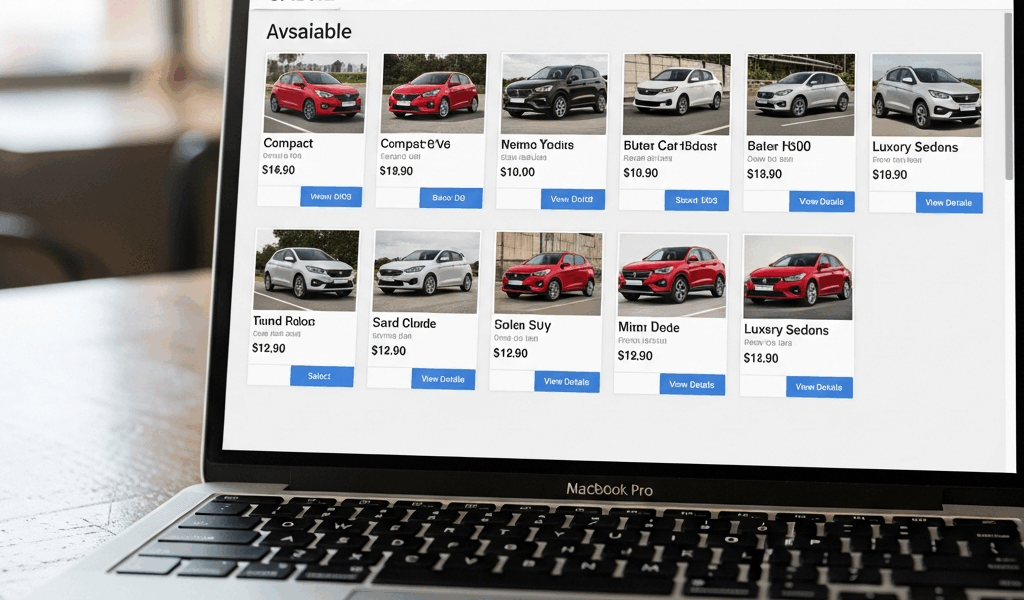
Sabre Car refers to rental-car content and workflows in the Sabre travel marketplace—not a make or model of automobile. For a travel application, the usual integration problem is how to search vehicle availability, present comparable rates and policies, create a reservation, attach it to the traveler’s record where applicable, and support changes or cancellation without losing supplier context.
This guide explains the architecture and implementation decisions behind a Sabre rental-car integration. Exact API names, versions, schemas, credentials, and entitlements change, so developers should confirm the current product documentation in Sabre Developer Hub or with their Sabre account team before building.
What “Sabre Car” Means
Sabre operates a travel marketplace that connects travel sellers with suppliers, including car-rental providers. A car-shopping integration can let an agency, corporate booking tool, online travel application, or service platform search rental inventory using trip details and traveler requirements.
Sabre’s announcement of an enhanced car shopping API described results that could include vehicle images, supplier logos, location hours, latitude and longitude, and attributes such as bag and seatbelt capacity. Those fields illustrate why rental-car shopping is more than returning a daily price: the application must help a traveler compare a complete offer.
The public brand term is broader than one endpoint. A production workflow may involve shopping, rate rules, booking, itinerary or passenger-name-record context, retrieval, modification, and cancellation. The available flow depends on the customer agreement and current Sabre product portfolio.
Start with the Business Workflow
Define the user journey before selecting APIs. A basic rental-car path looks like this:
- Collect pickup and drop-off dates, times, and locations.
- Add driver age, residency, loyalty, corporate, or negotiated-rate context when authorized.
- Request available vehicle offers.
- Normalize and display vehicles, suppliers, prices, inclusions, mileage, policies, and location details.
- Let the traveler select an offer and review final terms.
- Create the reservation using the selected offer’s required identifiers.
- Store the confirmation and relevant Sabre or supplier references.
- Support retrieval, change, cancellation, and failure recovery.
A metasearch display that sends the traveler elsewhere may stop before booking. An agency desktop or corporate tool may need the car segment associated with a broader itinerary. Decide which outcome the product owns.
Search Inputs That Matter
Rental-car availability is sensitive to location and time. Validate inputs before calling the supplier layer:
- pickup and drop-off timestamps with local time-zone context;
- airport, city, address, geographic coordinate, or location code;
- same-location versus one-way rental;
- driver age and country or state of residence when required;
- vehicle category, transmission, fuel, accessibility, or capacity needs;
- supplier preference or exclusion;
- corporate discount, loyalty, or negotiated-rate identifiers;
- currency and point-of-sale context.
Do not silently guess missing values that affect eligibility or price. If a user enters “Seattle,” distinguish downtown from SEA airport. If the drop-off time crosses midnight, display the duration clearly because an extra rental day may change the quote.
Normalize Offers Without Hiding Important Differences
Two results with the same vehicle category may not be economically equivalent. A useful comparison model preserves:
- estimated total and currency;
- base rate, taxes, mandatory charges, and known fees when supplied;
- mileage allowance;
- fuel policy;
- pickup type, shuttle instructions, and counter hours;
- cancellation, no-show, deposit, and guarantee rules;
- vehicle class and “or similar” language;
- passenger and baggage capacity;
- rate-plan, supplier, location, and offer identifiers needed later.
Avoid sorting only by the smallest headline number. A slightly higher inclusive total may be better than a lower base rate with material exclusions. Label estimated totals accurately and provide the supplier’s conditions before confirmation.
Preserve the Selected Offer
Travel inventory is dynamic. The offer displayed during shopping can change before booking. Preserve every opaque identifier and context field returned for the chosen result; do not reconstruct a booking request from the visible text alone.
Before creating the reservation, revalidate price or availability when the current workflow supports it. If the result changes, return the traveler to a clear review state rather than silently accepting a different vehicle, supplier, price, or policy.
Make booking requests idempotent at the application layer. A network timeout after submission does not prove that the supplier failed to create the reservation. Before retrying, use supported retrieval or reconciliation methods so a traveler does not receive duplicate bookings.
Authentication and Environment Design
Sabre API access generally requires approved credentials, the correct environment, and an access token or session appropriate to the product. Some Sabre products distinguish stateless and stateful workflows. Do not assume the authentication model for one API family applies to another.
Production architecture should:
- store credentials in a managed secrets system, not source code;
- separate test and production credentials;
- refresh tokens safely and avoid a refresh storm across workers;
- restrict outbound calls and secret access by least privilege;
- redact tokens and traveler data from logs;
- rotate credentials and document ownership;
- monitor authentication failures separately from inventory errors.
For implementation details, see our guide to using AWS Secrets Manager for API credentials.
Error Handling for Rental-Car Workflows
Design errors around user actions, not just HTTP status codes. Useful categories include invalid search criteria, no availability, supplier timeout, authentication failure, rate change, policy conflict, duplicate-booking uncertainty, reservation rejection, and downstream itinerary failure.
Each category needs a different response. “No cars found” should suggest changing location, time, or filters. A rate change should show the new terms. A timeout after booking should trigger reconciliation. An authentication failure should alert operations rather than instruct the traveler to keep submitting.
Use bounded retries with backoff only for operations that are safe to repeat. Apply circuit breaking when a supplier path is persistently failing. Preserve correlation identifiers from your platform and the upstream response so support teams can trace a transaction without exposing sensitive data.
Caching and Freshness
Cache static or slow-changing content—such as supplier logos or normalized location metadata—more aggressively than price and availability. Rental inventory can change quickly, and an old offer can create poor checkout experiences.
If shopping responses are cached, use short, explicit lifetimes and retain the upstream identifiers required to validate the offer. Never describe cached availability as guaranteed. The booking confirmation is the point at which the reservation outcome becomes authoritative.
Traveler Data, Payments, and Compliance
Collect only the information required for the contracted workflow. Classify traveler names, contact details, loyalty identifiers, corporate codes, and payment-related data. Encrypt sensitive data in transit and at rest, restrict access, define retention, and keep it out of analytics events and general application logs.
Do not infer that use of a travel API transfers all compliance obligations to Sabre or the rental supplier. Your application remains responsible for its own data handling, authentication, authorization, consent, regional privacy requirements, and payment architecture.
Observability and Support
Track the complete funnel without logging private payloads:
- search request success and latency;
- zero-result rate by location and supplier;
- offer-selection and booking conversion;
- price-change frequency;
- booking, retrieval, change, and cancellation outcomes;
- timeouts, retries, and reconciliation cases;
- token failures and upstream error categories.
Create a support view that can locate a transaction by your correlation ID, Sabre reference, supplier confirmation, or itinerary reference while enforcing role-based access.
Testing Before Production
A reliable test matrix includes same-location and one-way rentals, airport and city locations, time-zone boundaries, young-driver rules, negotiated rates, no inventory, policy changes, supplier timeouts, token expiry, duplicate submissions, retrieve-after-timeout, cancellation, and partial downstream failure.
Test the user interface with long policy text, missing images, unknown vehicle details, multiple currencies, and an offer that changes during review. Validate accessibility and mobile layouts; rental conditions are not useful if they are hidden behind an unreadable component.
Sabre Car Integration Checklist
- Confirm product entitlement and current documentation.
- Define search, booking, itinerary, change, and cancellation ownership.
- Model location, time, driver, rate, vehicle, policy, and supplier context.
- Preserve opaque offer identifiers.
- Build secure credential and token handling.
- Separate static-content caching from live availability.
- Make booking retries safe through idempotency and reconciliation.
- Redact traveler and credential data from logs.
- Instrument the full funnel and upstream dependencies.
- Test failure states before opening production traffic.
WebSME’s broader Sabre API integration guide covers platform-level planning, while our business travel booking tools guide places rental-car content in the complete traveler workflow.
Official Sabre References
External API integrations need searchable dependency logs without exposing traveler data or credentials. Use the ELK Stack logging setup guide to design parsing, redaction, retention, and failure handling.



Stay in the loop
Get the latest web sme updates delivered to your inbox.